GUIDE · POTFORGESlicer settings for a 3D-printed planter
A pot from KUZE Potforge prints upright, straight from the file, with no supports. On a 0.4 mm nozzle, start from your slicer's standard PLA or PETG profile and set 0.2 mm layers (0.12 to 0.16 mm for a fine pattern), 3 to 4 walls, 15 to 20% infill and 4 to 5 top and bottom layers. Turn supports off and keep spiral vase mode off. If the drainage plate comes as a second file, print it flat beside the pot and drop it into the base afterwards.
Before you download
Wall thickness, the foot and the drainage are in the editor's All settings view.
- Size. Potforge makes pots up to 240 mm wide and 300 mm tall; your printer may be smaller. Check Width and Height under Size against its build volume: a 180 mm cube on a Bambu Lab A1 mini, about 220 × 220 × 250 mm on an Ender-3, 256 mm on a Bambu Lab A1, P1 or X1.
- Wall thickness (Walls & mesh) starts at 3 mm and goes from 1 to 8 mm. About 3 mm suits most pots: thick enough for six or seven lines of a 0.4 mm nozzle. Go thicker for a large or tall pot that will hold heavy, wet soil.
- Engraved patterns. A negative Depth cuts the pattern into the wall, so the wall is thinner where it is cut. Keep Wall thickness at least 1.2 mm more than the cut is deep, so three lines still print under it.
- Quality, at the top left of the pot: Draft, Standard or Fine. It sets how finely the STL follows a surface pattern, not how your printer prints it. Raise it when a pattern looks jagged on screen; each step makes a much larger file. A honeycomb drainage grate always downloads at Standard or finer.
- Check mesh integrity (Walls & mesh) confirms the pot is watertight and manifold, a closed solid any slicer reads without repairs.
To download a pot you have changed, 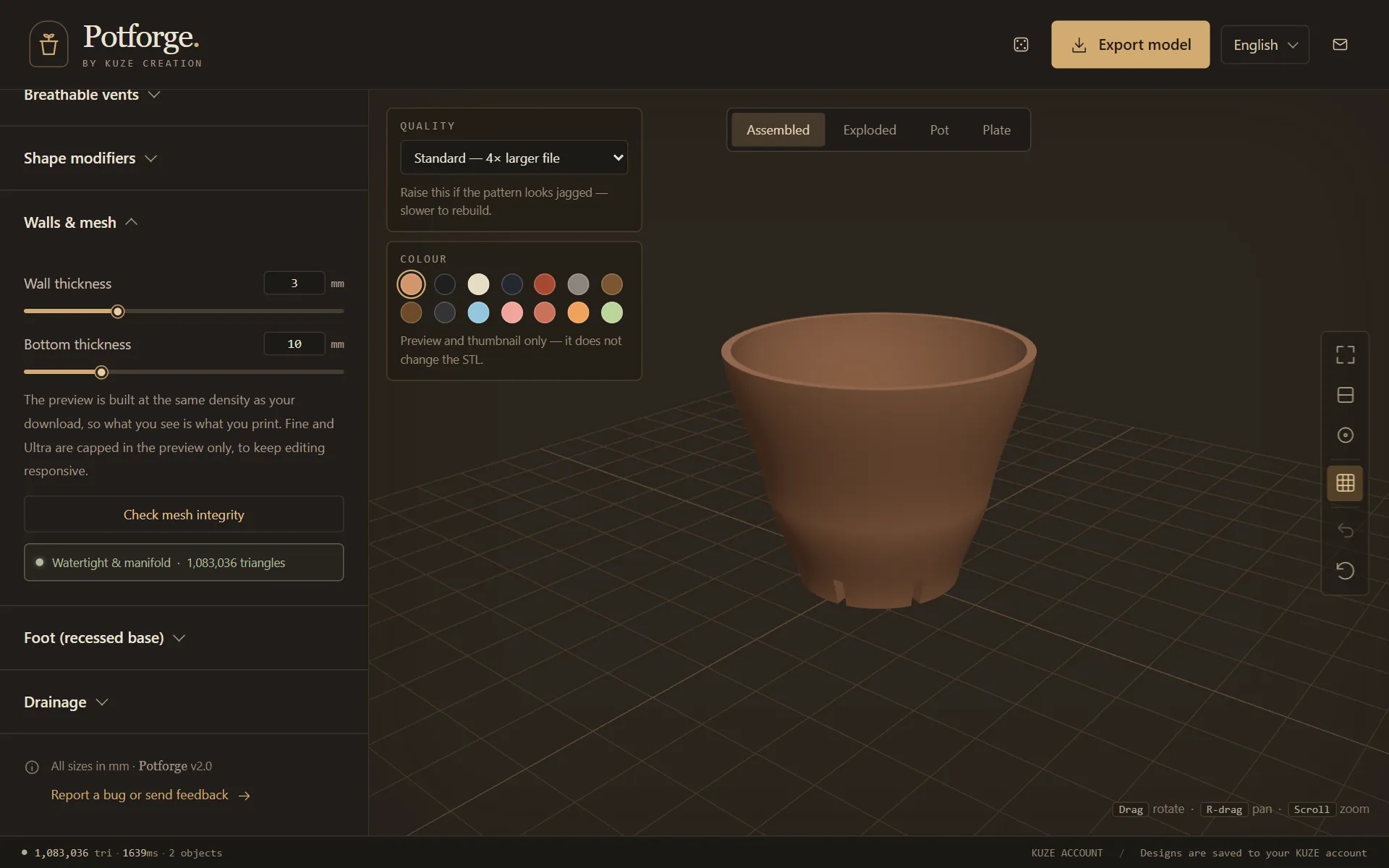
Load it into the slicer
The STL is in millimetres and Z-up, 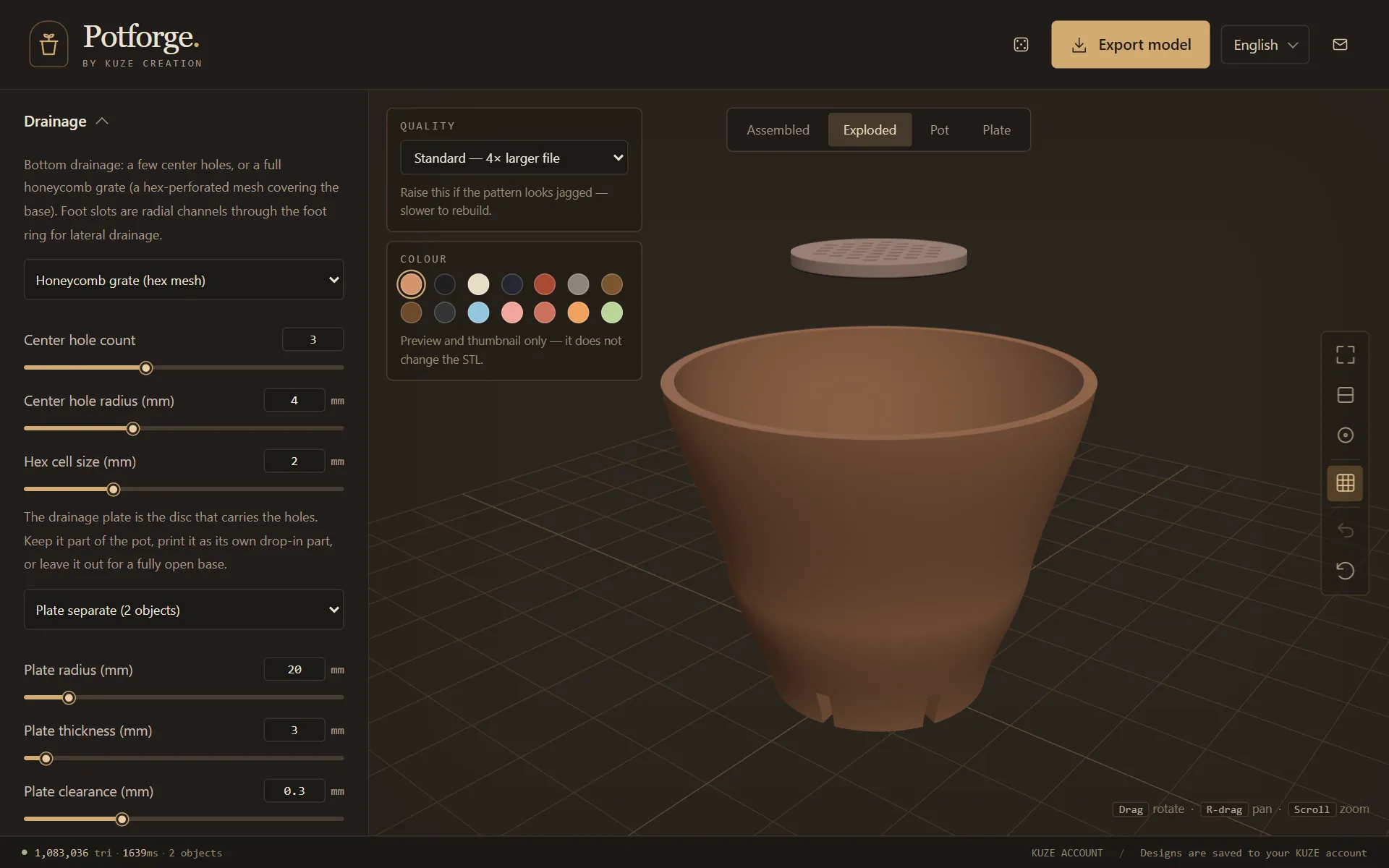
Slicer settings
These are starting points for a 0.4 mm nozzle in Bambu Studio, OrcaSlicer, PrusaSlicer or Cura. The names differ a little between slicers; the settings do not.
- Layer height
- 0.2 mm for most pots. A fine pattern, such as knit, crackle or wood grain, looks crisper at 0.12 to 0.16 mm, at the cost of a longer print. Up to 0.28 mm is fine for a plain wall.
- Walls (perimeters)
- 3 to 4. The slicer fills the rest of a 3 mm wall with infill. For the strongest, driest pot, raise the wall count until it fills the whole wall: about 7 for 3 mm.
- Infill
- 15 to 20%, gyroid or grid. It mostly fills the base, which starts 10 mm thick.
- Top and bottom layers
- 4 to 5 each, so the floor inside the pot and the flat underside come out solid.
- Supports
- Off. See the base section below for the one exception you might meet.
- Spiral vase mode
- Off. It would print a single line round the outside and leave out the wall and the drainage.
- Brim
- None for the flat, solid underside. Add a 3 to 5 mm brim for a pot raised on legs, or a tall, narrow pot, so the small footprint stays down.
- Seam
- On a faceted pot, Aligned or Back tucks the seam into a corner. On a round, smooth pot, a scarf seam (Bambu Studio, OrcaSlicer) hides it best; on a busy pattern it barely shows.
- Outer wall speed
- Slow the outer wall down for a fine pattern: the detail is all on the outside.
The base, the legs and the drainage plate
- Solid underside (the default, under Foot): the base is flat on the bed, with the gaps between the legs cut as channels that let water run out sideways. Nothing to bridge, nothing to support.
- Recessed underside raises the pot on its legs, so the floor between them is printed in mid-air, the height of the foot (5 mm to start) above the bed: a bridge right across the recess. A small pot usually bridges cleanly with the slicer's bridge settings. On a wide pot, or if it sags, add supports for that area only, or go back to the solid underside.
- Drainage plate. It drops into a seat in the base with a 0.3 mm gap all round (Plate clearance, under Drainage). Print it flat. If it is tight, raise the clearance to 0.4 or 0.5 mm; if it rattles, lower it; then download again.
- Honeycomb grate. The cells start 2 mm across. Very small cells, 1 mm and under, can close up on a 0.4 mm nozzle; if they do, raise Hex cell size.
- Plate integral makes the plate part of the pot: one file, nothing to fit.
Which filament
- PLA for pots that stay indoors: easy to print, crisp detail, and the widest choice of colours and finishes.
- PETG or ASA for pots that live outside. PLA softens in strong sun and in a hot car; PETG copes better with heat and water, and ASA with sunlight.
- Colour in Potforge is for the preview only: the STL carries the shape, and the colour comes from your filament.
Questions
Does a Potforge pot need supports?
No. The starting pot stands on a flat, solid underside, its surface patterns and rim cuts are made to print without supports, and both files come out the right way up. Leave supports off. The one place that may need them is the floor between the legs on a wide pot, when you choose a recessed underside.
Can I print it in spiral vase mode?
No. Vase mode prints a single line round the outside, so it ignores the wall thickness, the inside of the pot and the drainage in the floor. Use normal slicing.
Why do I get two STL files?
When the drainage plate is set to separate, which is the default, Potforge downloads the pot and the drainage plate as two files. Print the plate flat beside the pot, or on its own, and drop it into the seat in the base afterwards.
The drainage plate is too tight or too loose. What do I change?
Change Plate clearance under Drainage and download again. It starts at 0.3 mm, which suits most printers: raise it to 0.4 or 0.5 mm if the plate has to be forced in, lower it if it rattles.
Will water seep through the wall?
An FDM print can weep a little where the lines of a thin wall do not quite fuse. More walls, a slightly higher nozzle temperature and a wall of 3 mm or more keep the pot dry on the outside. The water that drains out of the bottom is meant to: stand the pot on a saucer.
Free to design, nothing to install. More how-tos: copy a pot's shape from a photo and turn a photo into a texture.